Navigation menu
hello Guest

Instructor Manual
ACTIVITIES
To view the performance of your students in different test preps, assessments created by you, pre and post assessments; click the More tab and select the Activities option. You can search a particular test activity by using the search box, you can sort the results further using the Test Mode and Test Type.
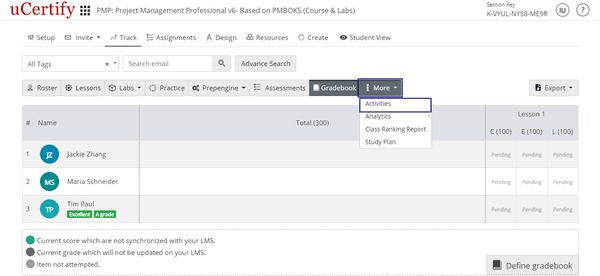
Figure 4.40: More Tab with Activities Option
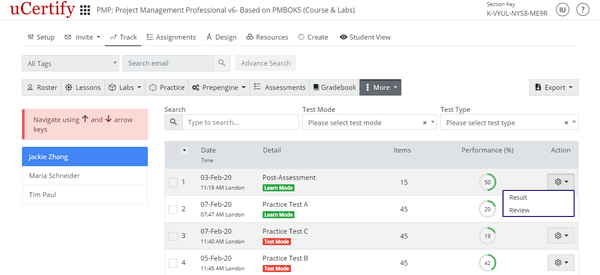
Figure 4.41: Activities Page with Option to View or Delete Test
Figure 4.40: More Tab with Activities Option
Figure 4.41: Activities Page with Option to View or Delete Test